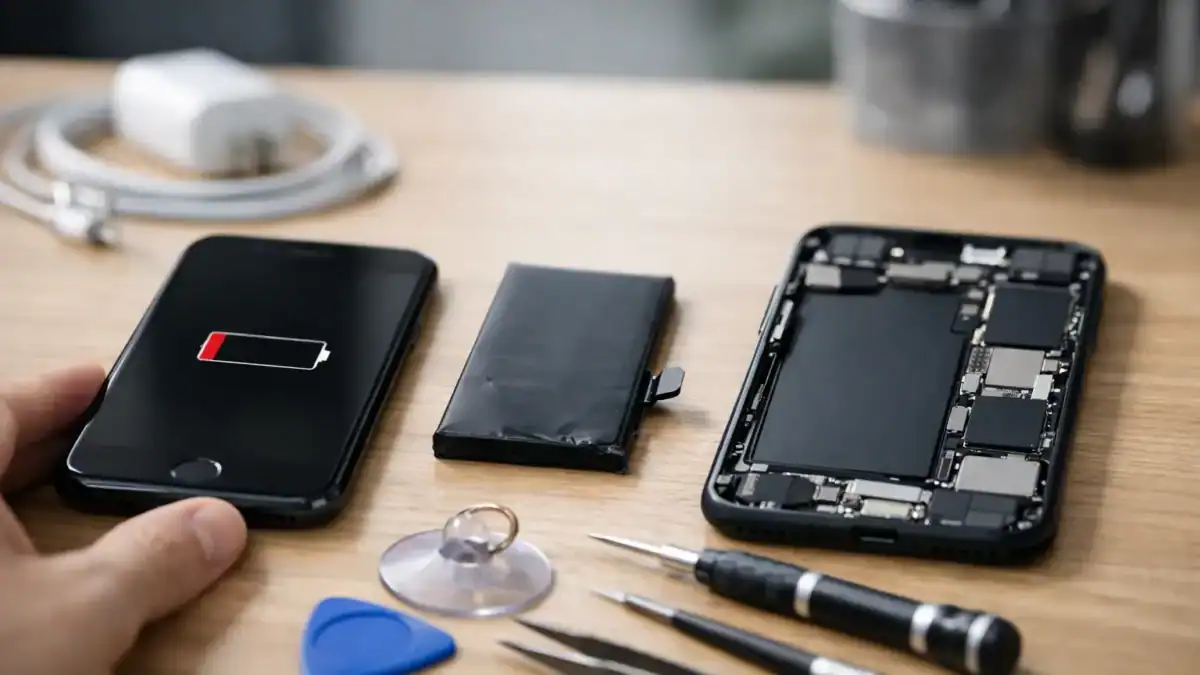
A handset that drops from 30% to zero during a call, needs charging twice a day or slows down under load is not always ready for replacement. But when the symptoms point to cell wear rather than a charging, software or board-level fault, it is time to replace iPhone battery with the correct model-specific part. For repair shops, getting that diagnosis right prevents repeat returns. For capable DIY buyers, it prevents opening a device unnecessarily.
When should you replace iPhone battery?
Battery wear is normal. Every charge cycle gradually reduces the battery’s ability to hold energy and deliver peak current. The result is usually a gradual reduction in runtime, but customers often notice the problem only once it starts affecting daily use.
On compatible iPhones, Battery Health in Settings can provide a useful starting point. A maximum capacity reading around or below 80% commonly supports a battery replacement recommendation, particularly where the customer reports poor runtime. It is not a complete diagnosis on its own. A phone can show a reasonable capacity figure and still have charging issues, high background drain, weak signal drain or app-related power use.
Look at the full fault picture. Genuine battery-related symptoms include rapid percentage loss, unexpected shutdowns, poor standby time, performance management messages and a device that becomes unusually warm while doing ordinary tasks. Confirm that the handset charges correctly with a known-good cable, charger and charge port before assigning the fault to the battery.
A swollen battery is different. Do not continue charging or using the phone. Screen lift, pressure around the display or a distorted rear housing can indicate expansion. Isolate the device, follow safe battery handling procedures and replace the cell before assessing any additional damage.
Check the exact iPhone model before ordering
The fastest way to turn a straightforward repair into a delay is to order from the wrong model family. Similar-looking iPhones can use different battery connectors, flex layouts, capacities, adhesive patterns and mounting arrangements. A battery for an iPhone 12 is not interchangeable with an iPhone 12 Pro simply because the handsets share a screen size.
Start in Settings, then General and About. Check the model name and model number. Tapping the model number normally reveals the A-number, which is useful when a handset has been rebuilt, region-specific or difficult to identify. If the phone will not power on, compare the physical housing, camera arrangement, display size and any available model markings, but do not rely on one visual feature alone.
For trade workflows, record the device model on the job sheet before the handset is opened. This matters most on older ranges, SE generations and devices with closely related names. Keeping the old battery until the replacement is verified also gives you a practical reference point for connector position and flex routing.
Do not choose by capacity alone
Higher advertised capacity can sound attractive, but capacity is only one part of a usable replacement battery. A reliable cell needs consistent manufacturing, correct protection circuitry, stable performance and accurate fitment. An oversized or poor-quality battery can create fitting pressure, unreliable percentage reporting or early failure.
Choose a replacement part listed for the exact iPhone generation. Check the product specification for compatibility and grade, then match it to the repair requirement. A refurbisher handling volume repairs may prioritise consistent stock and repeatable performance. A DIY customer may need a battery supplied with the correct adhesive and clear model identification. In both cases, the cheapest option is rarely the cheapest outcome if the phone returns with the same complaint.
Decide whether battery replacement is the right repair
Before opening the handset, rule out faults that can imitate a worn battery. A blocked or damaged charge port may cause intermittent charging. A failing cable or low-output plug can create a misleading charging complaint. Recent iOS updates, poor network coverage, background app activity and a damaged display can also increase power consumption.
Ask practical questions at intake. Does the battery fall quickly only when using mobile data? Does it charge normally but lose power overnight? Has the phone suffered liquid damage, been repaired previously or started restarting after a drop? These details help separate a straightforward consumable replacement from a repair requiring further testing.
If available, use a known-good charging setup and check current draw behaviour. Inspect the charge port for debris and examine the housing for impact damage or display lift. Where the battery is visibly swollen, avoid normal diagnostic charging and move directly to safe disassembly.
A replacement battery will not correct a shorted charging line, liquid-damaged board, failing baseband circuit or high system drain. Setting that expectation at the start protects repair margin and gives the customer a clearer repair decision.
What the repair involves
To replace iPhone battery safely, treat the job as more than removing two screws and fitting a new cell. iPhones use strong display and battery adhesives, compact flex assemblies and model-specific screw layouts. Damage to a display flex, Face ID-related assembly, wireless charging coil or battery connector can turn a routine repair into a more involved job.
Power the device down where possible, remove the display with controlled heat and suitable opening tools, then disconnect the battery before working around other internal components. Keep screws organised by location. Apple uses screws of different lengths in close proximity, and fitting the wrong screw in the wrong position can damage the device.
The old battery should be released using the intended adhesive pull tabs where they remain intact. If a tab tears, use a method appropriate for the handset and workshop safety procedure. Do not puncture, crush, bend aggressively or apply uncontrolled heat to a lithium-ion cell. Isopropyl alcohol may assist with adhesive release when used carefully and away from unsuitable areas, but it is not a substitute for patience or correct tools.
Fit fresh battery adhesive rather than reusing weakened strips. The cell must sit flat in the housing, with no trapped flex cable or debris beneath it. Before resealing, connect the replacement battery, check that the handset powers on and confirm it accepts charge. Refit display seals where required to restore the best practical level of dust and moisture resistance. Opening an iPhone can affect its original ingress protection, so this should never be represented as unchanged after repair.
Battery messages, calibration and customer expectations
On certain iPhone models and iOS versions, a replacement battery can trigger an Important Battery Message or prevent Battery Health information from displaying as expected if the part has not been recognised or configured through the applicable process. This does not automatically mean the replacement battery is faulty. It does, however, need to be explained clearly before the repair is approved.
Apple’s repair processes and software support change over time, and some devices may support post-repair configuration or calibration through available tools and current iOS features. Check the requirements for the specific model and repair route rather than promising identical behaviour across every generation.
After fitting, test charging, restart behaviour, battery percentage movement and basic thermal performance. Do not judge a new battery solely by the first percentage reading after installation. Allow normal charging and discharge behaviour to settle, then advise the customer to use a reputable charger and avoid routinely running the device to zero.
Stock the right battery for the job
For professional repair businesses, battery stock should be organised by precise iPhone family, not broad labels such as “iPhone battery”. Separate ranges by generation and verify each listing against the handset in front of you. Keeping common batteries available can reduce turnaround time, but slow-moving or older models still need accurate sourcing when they arrive on the bench.
iParts4U supplies replacement parts across a wide range of Apple models, allowing technicians and experienced consumers to source batteries by the device they are actually repairing. Check compatibility carefully at the point of order, include suitable adhesive where needed and make sure your bench has the correct tools before booking the repair.
A battery replacement earns its value when it restores dependable daily use without creating a second fault. Identify the model, confirm the diagnosis and fit a part intended for that exact handset – that is the quickest route to a repair that stays repaired.