
iParts4U
Your Cart
🚚
EU site

← Repair guides

iPhone 12 Pentalobe Screws

iParts4U guide iPhone 12 Updated 26 Sep 2026

DifficultyEasy
Time5–10 min
Steps1
✓ Tested by iParts4U

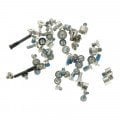
This guide will show you how to successfully remove or replace the iPhone 12 pentalobe screws. These screws use a unique five-point design by Apple, you’ll need a P2 pentalobe driver for removal. We’ve linked all of the tools and parts used in this guide so make sure to check them out before continuing.

Step 01 / 1

Remove The Pentelobe Screws

Caution
Before starting this repair, discharge your iPhone battery below 25%. Accidentally puncturing a charged lithium-ion battery can cause it to catch fire and/or explode.
Turn your iPhone off.
At the bottom of the iPhone, unscrew and remove the two 6.75mm pentalobe P2 screws.
When you open the iPhone's display it will compromise its waterproof seals. Make sure you have replacement seals ready before continuing with this guide, or take care when reassembling your phone to avoid liquid exposure.
Photo needed
1 / 2
Tools checklist

Parts used

  • iPhone 12 - Bottom Screw Set - 2pcs - Black
  • iPhone 12 - Bottom Screw Set - 2pcs - Gold
  • iPhone 12 - Bottom Screw Set - 2pcs - Green

Written by

iParts4U

Repair shop?

Trade customers get trade prices, the full repair wiki, known issues and the community.